


Project journal Tools & Software
Local Screen Recorder: keeping the recording on your device
A short build log for a tiny browser screen recorder: local capture, a small compatibility layer, and no upload path.
This is the dated story. Find it in Resources
Current checkpoint
In useLive browser tool — reviewed after its October polish pass
- Started
- Updated
The build in brief
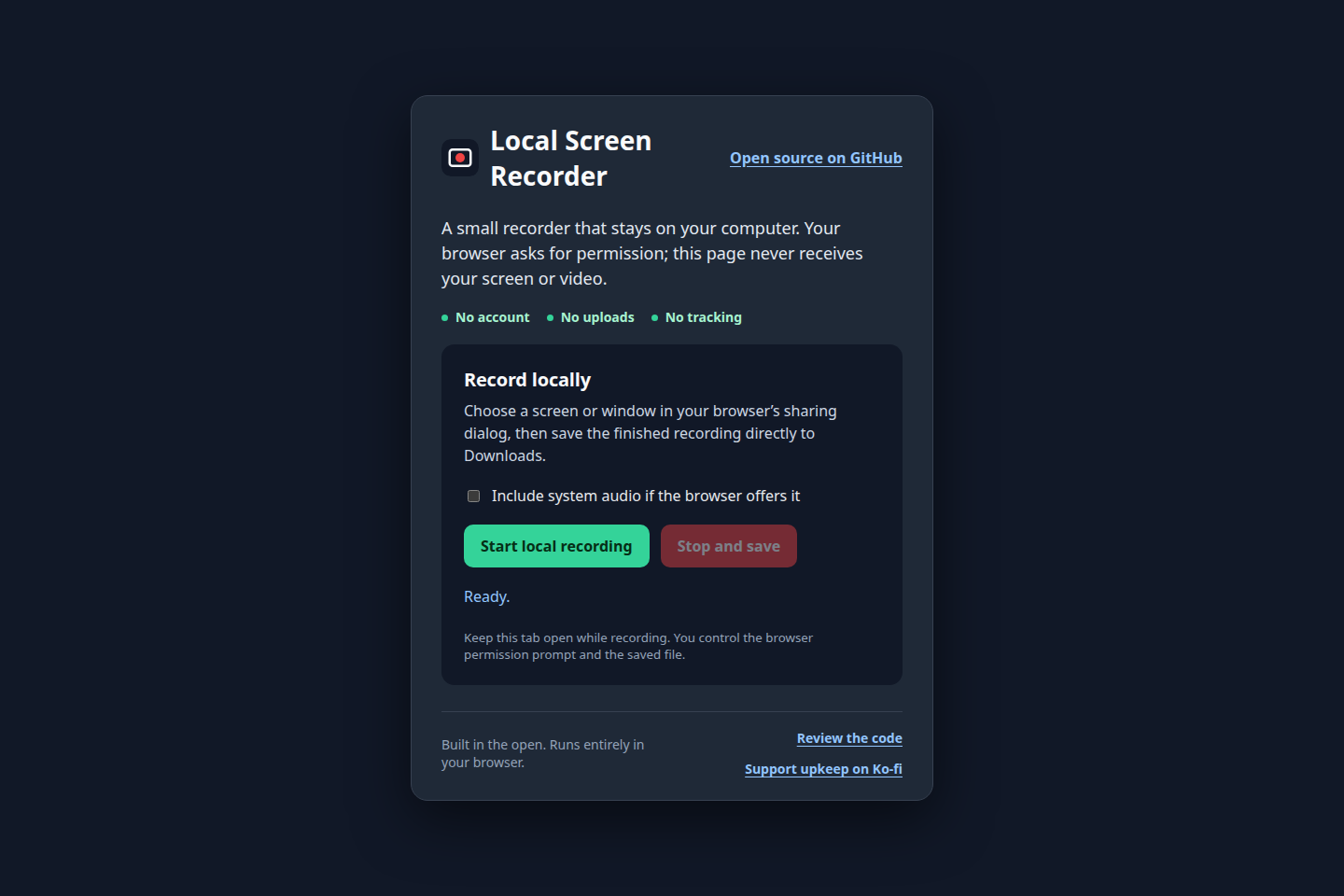
- Local Screen Recorder is deliberately a small, browser-only recorder: choose a screen or window, record it, then save the result locally.
- The important constraint was privacy. There is no server-side code, analytics, or upload feature in the project.
- Browser support is checked before recording begins, and the recorder chooses a supported WebM or MP4 MIME type when it can.
- Audio remains optional because system-audio capture depends on the browser and operating system.
Jump to a section
It started as a quick favor
I work in a full Linux VM and needed to grab a quick screen recording for a coworker. There is probably a best-in-class app for that job, but researching it would have taken longer than the recording. I asked Codex whether it could make one instead.
Rather than just solving the one request, it produced a tiny browser app. It was reusable, so I saved it. That is the whole origin story: a small convenience that was useful enough not to throw away.
The job was small on purpose
Sometimes the useful version of a tool is the one that refuses to become a service. Local Screen Recorder starts with a simple path: open the page, choose a screen or window in the browser's sharing dialog, record, and save the finished file to Downloads.
That means the recording and file creation happen in the browser on the person's device. The project has no backend, no account flow, no analytics, and no upload step to explain away later. The initial version was committed on September 28, 2026 as a single-page recorder; the code was then separated from the page presentation so the recording behavior could stand on its own.
Designing around what the browser actually offers
The recorder depends on two browser capabilities: getDisplayMedia to ask for a display or window, and MediaRecorder to collect the capture. Before it starts, it checks that both exist and gives a useful message when they do not.
The more fiddly piece is file format. Browsers do not all accept the same recording MIME type, so the app tries a short list in order: VP9 WebM, VP8 WebM, plain WebM, then MP4. It uses the first format the current browser says it supports; if none is advertised, it still lets the browser choose its default.
The saved filename follows the recorder's actual MIME type: an MP4 recording gets an .mp4 extension and the other path saves as .webm. That is a small detail, but it keeps the download honest about what was made.
A recorder has more than one stop button
The visible Stop and save control is only one way a recording can end. The browser's own sharing controls can end the selected video track first. The recorder listens for that event too, so closing the picker from outside the page still finishes the recording flow.
When capture stops, the app gathers only non-empty chunks, builds a browser Blob, clicks a temporary download link, and releases the temporary URL after a minute. It also stops the media tracks, so the page returns to a ready state instead of leaving capture alive.
The compatibility edge is part of the product
The tool can ask for system audio, but it cannot promise it. That checkbox is optional because the availability of system-audio capture varies by browser and operating system. Likewise, the project describes support as current Firefox, Chrome, Edge, and Safari releases where their Screen Capture and MediaRecorder implementations allow it, rather than claiming a universal recording experience.
The app needs a secure context for screen capture, so local development is served from localhost instead of opening the HTML file directly. That constraint is documented beside the project rather than hidden behind a build step.
What changed after the initial build
The first follow-up separated recorder behavior from presentation. The next small improvements were not new product features: a Ko-fi link and a favicon made the hosted project feel more complete without changing the local-only promise.
The result is intentionally not a video platform. It is a small piece of browser functionality, made available without sending someone else's recording through a server first.
Try it
Open Local Screen Recorder or review the source on GitHub.